amirah's full terminal environment — every tool, plugin, and config setting.
👻 Ghostty
Fast, native GPU-accelerated terminal for macOS. Configured with the Cyber Wave dark teal color scheme, custom GLSL cursor shaders, and a global F1 dropdown.
Color Palette
bg
teal
green
blue
red
yellow
purple
lavender
white
Appearance
ThemeCyber Wave
Background#001a22
Opacity85%
Blur8
Cursor#007972
Font
FamilyHack Nerd Font
Size11
Thickentrue
Window
TitlebarmacOS tabs
Padding10px / 8px
Scrollback10,000 lines
Copy on selectclipboard
Link URLstrue
Confirm closefalse
Splits
Unfocused opacity60%
Divider color#007972
New tabCmd+T
Option as Altleft
Quick Terminal
ToggleF1 global
PositionTop
ScreenMain
Animation0.2s
Shell Integration
ModeAuto-detect
SSH env✓
SSH terminfo✓
sudo✓
Cursor Shaders
active cursor_warp_faded.glsl
Faded warp trail that follows the cursor
active ripple_cursor_custom.glsl
Ripple rings emanating on cursor move
avail cursor_warp.glsl
Full warp effect variant
avail cursor_sweep.glsl
Sweep trail effect
avail cursor_tail.glsl
Following tail behind cursor
avail sonic_boom_cursor.glsl
Sonic boom shockwave on action
avail rectangle_boom_cursor.glsl
Rectangle explosion burst
avail ripple_cursor.glsl
Base ripple variant
avail ripple_rectangle_cursor.glsl
Ripple + rectangle combo
🐚 Zsh
Core Shell Tools
shellStarship
Powerline prompt with git, language version, and time segments. Cyber Wave themed.
Tailwind IntelliSense — class completions + hover docs
austenc.tailwind-docs
Quick Tailwind docs lookup
formulahendry.auto-close-tag
Auto-close HTML/JSX tags
formulahendry.auto-rename-tag
Auto-rename paired HTML tags
naumovs.color-highlight
Inline CSS color swatch highlights
kisstkondoros.vscode-gutter-preview
Image preview in the editor gutter
vscode-infra.image-viewer
Image file viewer
Vue / Nuxt
Extension
Purpose
nuxtr.nuxtr-vscode
Nuxt developer tools and commands
nuxtr.nuxt-vscode-extentions
Curated Nuxt extension pack
hollowtree.vue-snippets
Vue component snippets
sdras.vue-vscode-snippets
Sarah Drasner's Vue snippets
jcbuisson.vue
Vue syntax highlighting
React / Next / Vite
Extension
Purpose
dsznajder.es7-react-js-snippets
React ES7+ snippets
infeng.vscode-react-typescript
React TypeScript helpers
christian-kohler.npm-intellisense
npm module import autocomplete
antfu.vite
Vite project integration
phondani0.vite-serve
Vite serve command shortcut
antfu.goto-alias
Jump to aliased import targets
Testing
Extension
Purpose
vitest.explorer
Vitest test explorer UI
wallabyjs.wallaby-vscode
Real-time test runner with inline results
wallabyjs.quokka-vscode
Live JS/TS scratchpad
humao.rest-client
HTTP requests in .http files
rangav.vscode-thunder-client
Thunder Client REST GUI
ms-vscode.live-server
Live reload dev server
ritwickdey.liveserver
Live server (alternative)
Database & Infrastructure
Extension
Purpose
qwtel.sqlite-viewer
SQLite browser
randomfractalsinc.vscode-data-preview
Data file preview — CSV, JSON, etc.
ms-azuretools.vscode-docker
Docker integration
ms-vscode-remote.remote-containers
Dev Containers support
anysphere.remote-ssh
Remote SSH (Cursor fork)
3D / Graphics / Animation
Extension
Purpose
en10ve.threejs
Three.js snippets and helpers
hridoy.gsap-snippets
GSAP animation snippets
degreat.3e
3D editor utilities
Productivity
Extension
Purpose
pkief.material-icon-theme
Material icon set for file explorer
mightbesimon.emoji-icons
Emoji icon theme
chunsen.bracket-select
Select content inside brackets
dzhavat.bracket-pair-toggler
Toggle bracket pair coloring
intellsmi.comment-translate
Translate comments inline
chun.vscode-translate
Translation helper
nrwl.angular-console
Nx/Angular console
🌿 Git + Delta
Core Settings
Setting
Value
Pager
delta
Editor
nvim
Merge style
zdiff3
Pull
--rebase
Push
autoSetupRemote = true
rerere
enabled — remembers conflict resolutions
Branch sort
-committerdate (most recent first)
Aliases
Alias
Command
git lg
log --oneline --graph --decorate --all
git undo
reset --soft HEAD~1
git wip
Stage everything + commit "wip"
Delta — Diff Viewer
Syntax-highlighted, side-by-side diffs themed to Cyber Wave colors.
Layout
ModeSide-by-side
Line numberstrue
Navigaten / N between hunks
Syntax themebase16
Colors
File namebold #b4fa72
Hunk header#007972 box
Added bg#0d3320
Removed bg#3d0d0d
Line num +#b4fa72
Line num -#ff8272
🦥 lazygit
Full TUI git client. Launch with lazygit or from inside Neovim. Config at config/lazygit/config.yml.
Custom Commands
AI AI Commit — Ctrl+A
In the Files panel, press Ctrl+A to pipe git diff --cached into the Claude CLI. Claude generates a conventional commit message (feat:, fix:, chore:, etc.) and fills it into the commit input automatically.
Rust-based terminal multiplexer. Faster and more modern than tmux. Custom keybinds with defaults cleared.
Config
Default shellfish
Default layoutcompact
Pane framesdisabled
Keybindsfully custom
Shell Aliases
zjzellij
zjszellij -s <name>
zjazellij attach
zjaczellij attach --create
zjrzellij action rename-session <name>
zjdzellij delete-session
zjdazellij delete-all-sessions
● ZELLIJ — PANES & TABS
PANE MODE →CTRL+P
Split downCtrl p→d
Split rightCtrl p→r
Move focus (no mode)⌥ hjkl
Shrink pane (no mode)⌥ -
Increase pane (no mode)⌥ =
Close paneCtrl p→x
Rename paneCtrl p→c
FullscreenCtrl p→f
Float / embedCtrl p→w
Toggle framesCtrl p→z
TABS →CTRL+T
New tabCtrl t→n
Next / PrevCtrl t→l/h
Go to tabCtrl t→1-9
RenameCtrl t→r
CloseCtrl t→x
SCROLL →CTRL+S
Scroll up / downCtrl s→k/j
Half pageCtrl s→u/d
SearchCtrl s→/
Edit in $EDITORCtrl s→e
SESSIONS →CTRL+O
DetachCtrl o→d
Session pickerCtrl o→w
New named session (zjs)zellij -s <name>
Attach or create (zjac)zellij attach --create
Rename (zjr)zellij action rename-session <name>
⌥+hjkl to switch panes instantly (no mode needed). ⌥+- / ⌥+= to shrink/increase pane size without entering any mode. ⌥+arrows won't work in Ghostty — Ghostty intercepts those for word jump. Resize mode: Ctrl+n → hjkl, equalize: =
System info display shown on terminal launch. Config at config/fastfetch/config.jsonc.
Logo
TypeCustom ASCII file
Sourceascii.txt
ContentBonsai tree + owl + "amirah" wordmark
Generatorgen_bonsai.py
Padding right5
Colors
KeysRGB 51, 133, 158 (steel blue)
TitleRGB 153, 209, 206 (light teal)
Separator": "
Modules
Module
Shows
title
"amirah" (hardcoded)
separator
Divider line
os
macOS version
host
Machine model
kernel
Darwin kernel version
uptime
System uptime
packages
Installed package counts (brew, etc.)
shell
Active shell + version
display
Resolution + refresh rate
wm
Window manager
wmtheme
WM theme
cpu
CPU model + speed
gpu
GPU model
memory
RAM used / total
battery
Charge level
localip
Local network IP
locale
System locale
colors
Terminal color block swatches
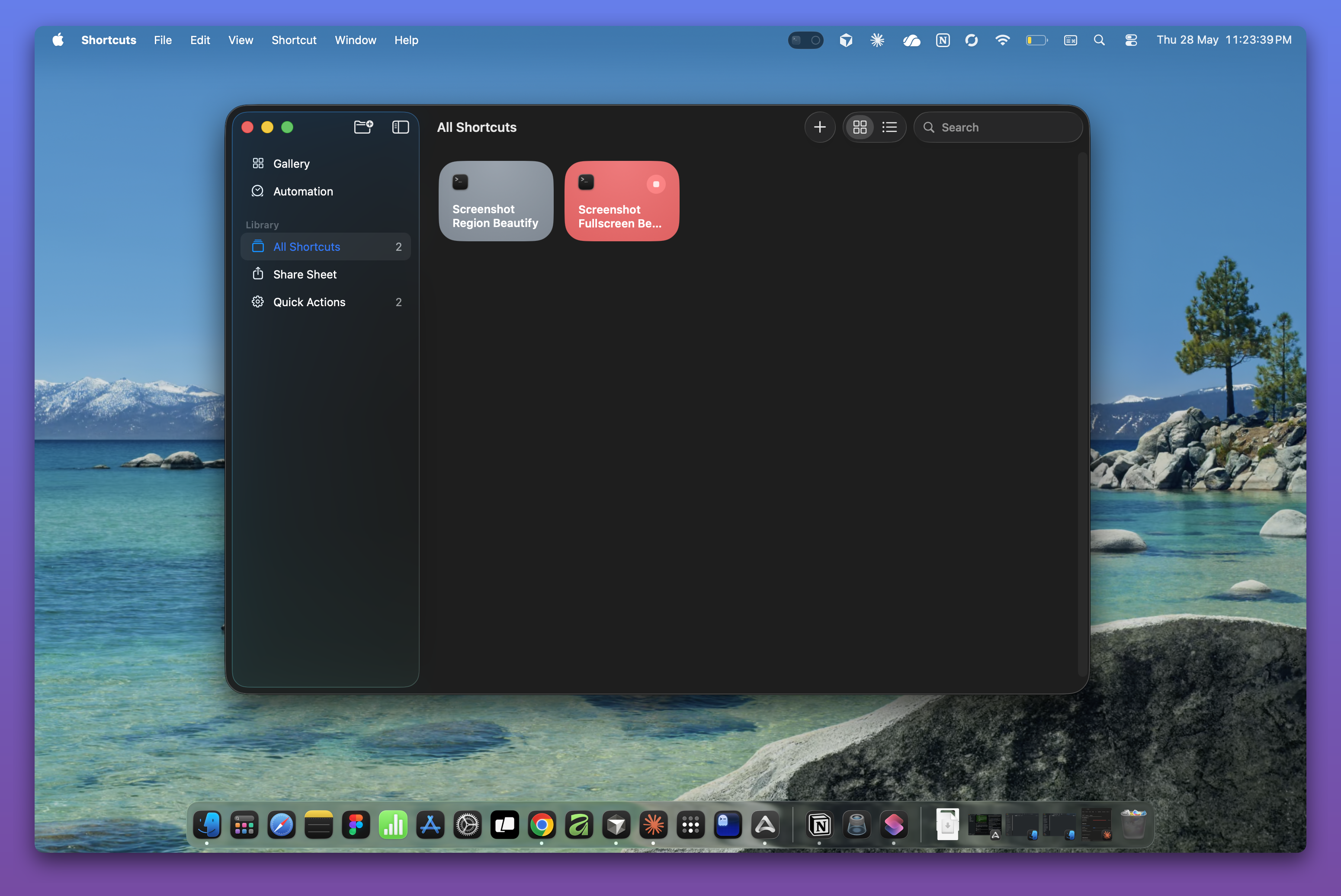
📸 Screenshot Beautifier
Custom shell scripts that post-process macOS screenshots — adding rounded corners, drop shadow, and a gradient background. Triggered via macOS Shortcuts app with a global keyboard shortcut. Output saved to ~/Documents/Screenshots/ and auto-copied to clipboard.